
Core concepts
This page explains the terms you'll run into all over cshub, from accounts, businesses, and plans to channels, contacts, AI Agents, and AI credit, so the rest of the guides are easier to follow.
If you're just starting out, three ideas are enough: your account is you, a business is where all the data lives, and a channel is the door your customers' chats come through. The rest you can pick up as you go.
Accounts and businesses
Your account is your login: email, password, name, and WhatsApp number. One account can own several businesses. Each business is completely separate, with its own plan, team, WhatsApp numbers, contacts, products, and reports. Data from one business is never visible from another.
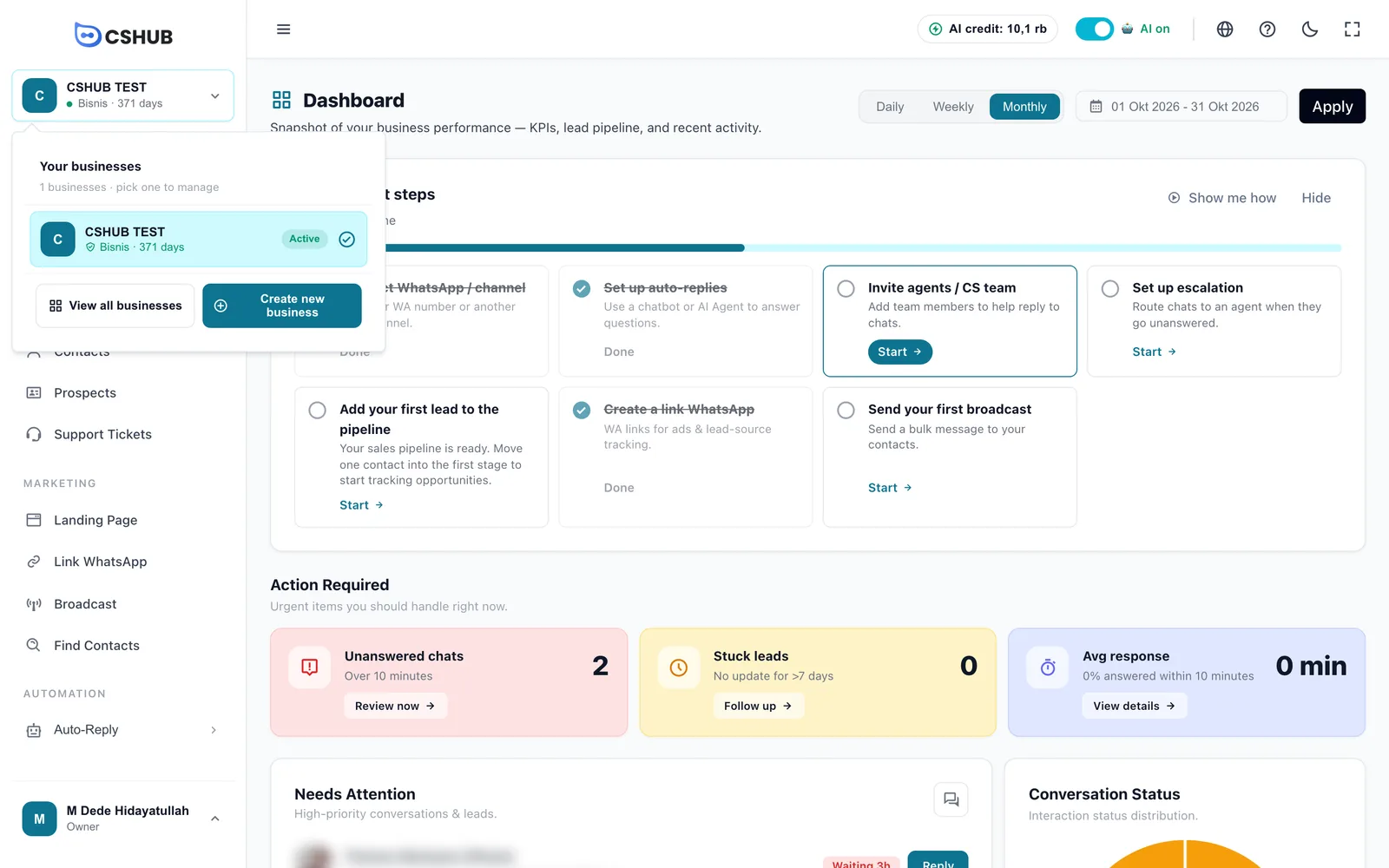
The business you currently have open is the active business. Its name sits at the top of the sidebar along with the plan name and how many days are left on it. Click it to switch businesses or create a new one.
| Term | What it means |
|---|---|
| My Account | The page outside any business where you see all your businesses, create new ones, buy plans, and open the affiliate dashboard. See My Account & all businesses |
| Owner | The account that created the business. The owner can open every menu, including Billing and business settings |
| Agent | A team member (CS, sales, admin) you invite to the business. Agents sign in with their own account and only see the menus their role allows. On the dashboard they're counted as Human Agent |
| Role | A set of permissions, e.g. CS can reply to chats but can't see Billing. See Team, CS & roles |
Plans, trial, and quotas
Every business runs on one subscription plan. The plan decides which features are unlocked and how much of each you get: number of WhatsApp devices, agents, AI credit, products, pages, and so on.
- Trial. The first business you create during onboarding gets a free trial plan right away, no credit card needed. When it's about to run out, a N days left on your trial banner appears at the top of the app.
- Locked features. Menus not included in your plan show a lock icon and the note Available on another plan.
- Expired plan. The business goes into a locked mode: you can still open the dashboard, your profile, Billing, and Help to renew, and your data stays put. See When your package expires.
Prices and payment methods are in Billing & packages.
AI credit
AI features such as AI Agent replies, AI Agent test chats, and conversation analysis use AI credit. The AI help assistant has its own free quota; once that runs out, its answers use AI credit too. Your plan includes a credit allowance, and you can top up without changing plans. Your remaining credit is always shown in the app's top bar.
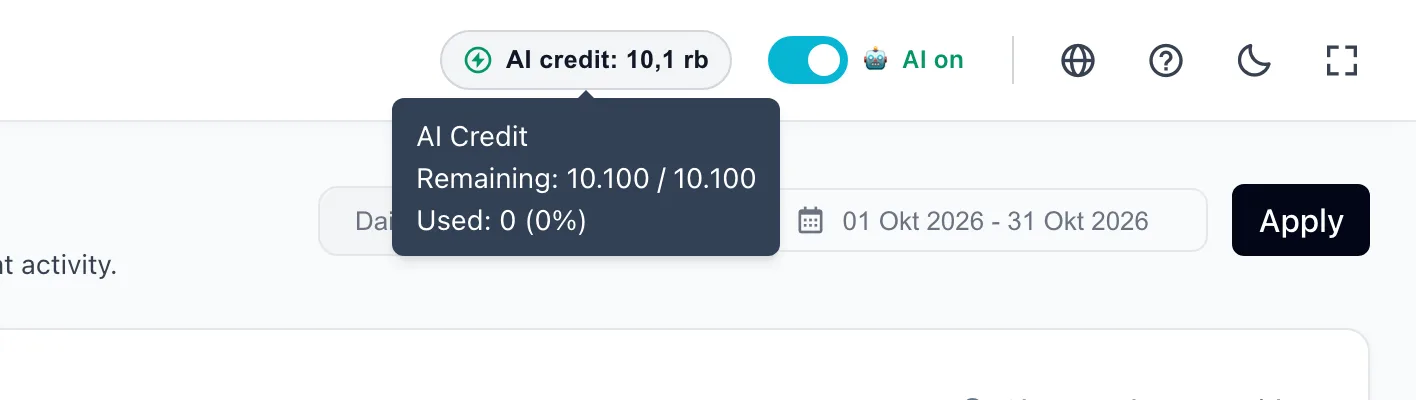
The Advanced AI model uses more credit per reply than Standard. See AI credit & top-ups.
Channels and devices
A channel is where customers reach you: WhatsApp, the official WhatsApp Business API, Instagram, Messenger, Telegram, or live chat on your website. Each WhatsApp number connected to cshub is called a device.
| Term | What it means |
|---|---|
| WhatsApp (scan QR) | A regular WhatsApp or WhatsApp Business number on your phone, linked by scanning a QR code like WhatsApp Web. The quickest to set up. See WhatsApp (scan QR) |
| Official WhatsApp Business API | An official connection through Meta. Suited to high volume and official message templates. See Official WhatsApp Business API |
| Device status | Active (connected), Inactive (needs a new scan), or Blocked (WhatsApp has restricted the number) |
All channels are compared in About channels.
Contacts, conversations, and prospects
| Term | What it means |
|---|---|
| Contact | The record for one customer or prospect: name, number, address, labels, and extra data. Contacts are created automatically when someone new chats, or you can add and import them. See Contacts |
| Conversation | One chat thread with one contact on one channel. All conversations gather in CRM Chat |
| Handled by | The CS agent currently responsible for the conversation. Chats can be assigned to team members automatically |
| Label | A free-form tag on a contact, e.g. VIP or Reseller, for filtering and broadcasts |
| Pipeline | The sequence of sales stages, e.g. Initial Contact → Offer Sent → Negotiation → Sale Won. Every new business gets one default pipeline |
| Prospect / lead | A contact placed in a pipeline. Shown as a card on the Prospects board |
| Ticket | A complaint or request that needs follow-up until it's resolved. See Support tickets |
| Appointment | A scheduled meeting or service with a customer. See Appointments |
AI and automation
| Term | What it means |
|---|---|
| AI Agent | An AI assistant that replies to customer chats on the channels it's connected to. You can have several. See AI Agent |
| Character | The AI Agent's tone and ground rules, e.g. Sales Closer or Customer Support |
| AI knowledge | The business info, Q&A, and documents the AI reads before answering. See AI knowledge |
| Keyword replies | Fixed replies for messages containing certain words, without AI. See Keyword replies |
| Auto-reply method | How a channel is answered automatically: keywords only, AI only, or keywords first, then AI |
| Handover | When the AI stops replying and passes the conversation to a person |
| Escalation | Tiered alerts to your team when a chat goes unanswered too long. See Escalation to your team |
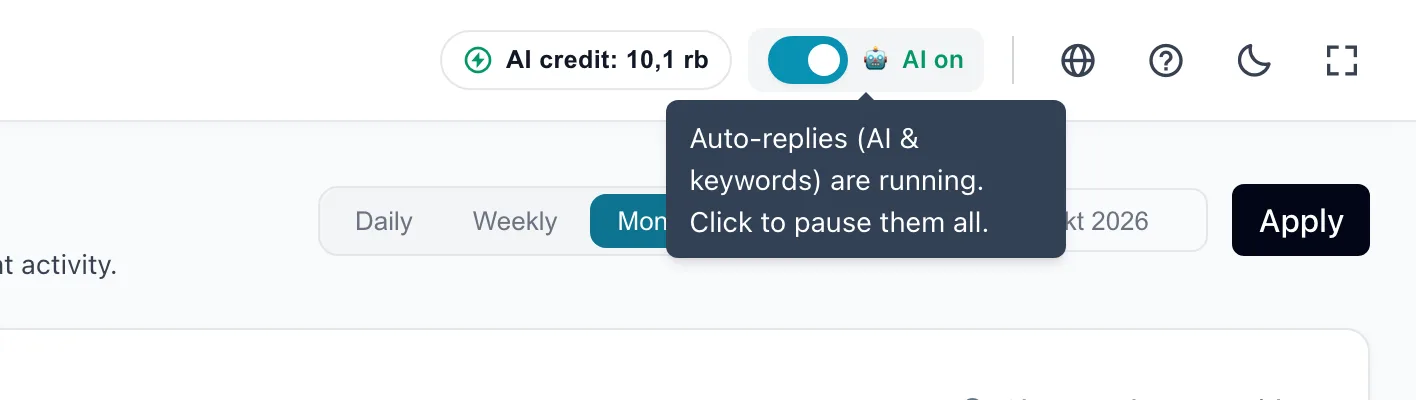
Every automatic reply (AI and keywords) can be paused at once with the AI on switch in the top bar. Chats still come in, but you do the replying.
Business focus
Your business focus is your main goal (Online Selling, Customer Service, Marketing & Leads, Booking / Services, or All Features). It only filters the sidebar menu and shapes the getting-started checklist on the dashboard. The features in your plan don't change. See Business focus.