
What is cshub
cshub is one system for running a business whose customers reach you through chat: every message from WhatsApp, Instagram, Messenger, Telegram, and your website live chat lands in one inbox, gets answered by your CS team or an AI Agent, and the orders, bookings, invoices, and follow-ups that come out of it are tracked in the same place.
No more juggling WhatsApp on several phones, copying orders into a spreadsheet, or trying to remember which customer still needs a reply. cshub runs in your browser (nothing to install) and your whole team can use it together.
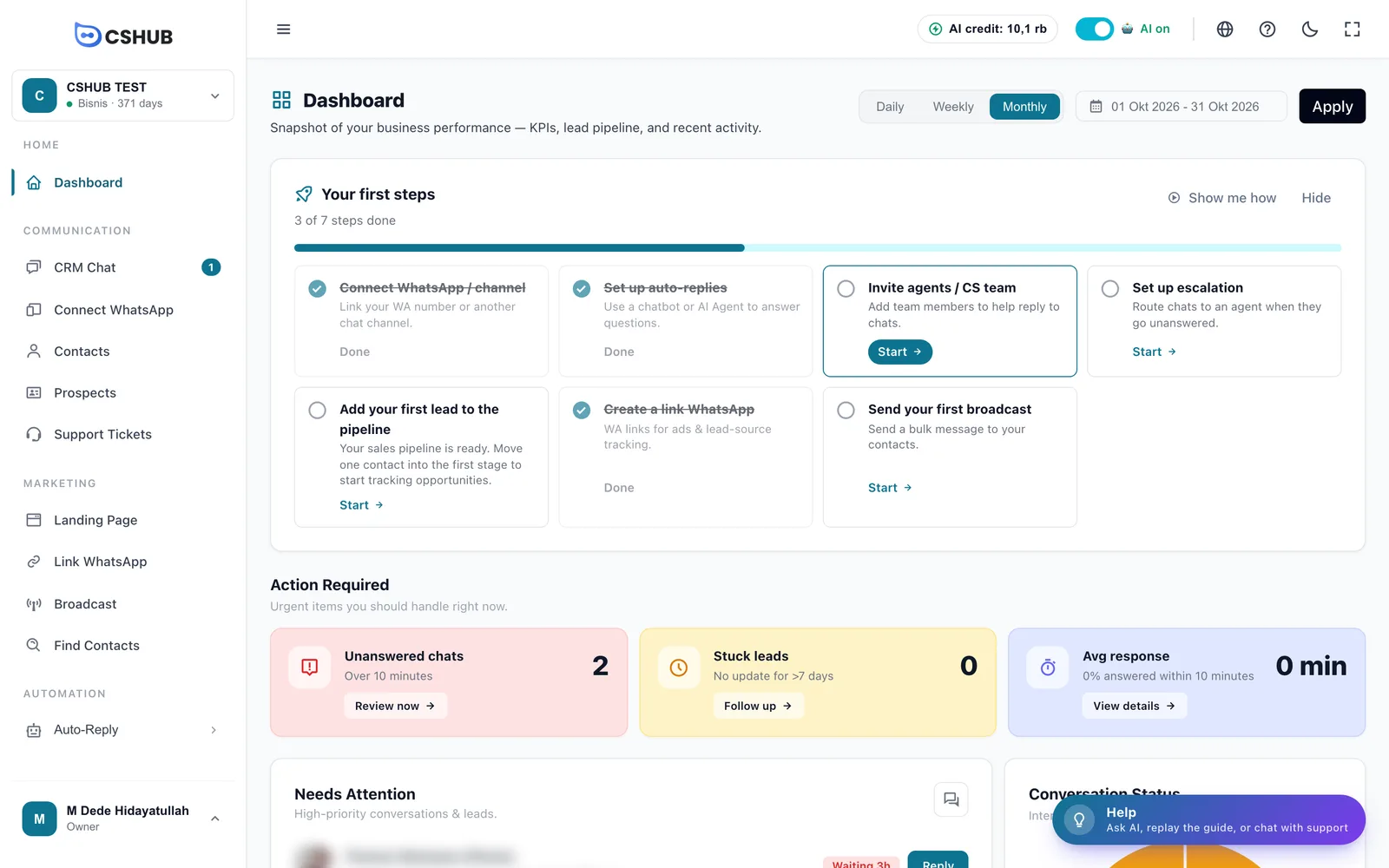
Who is cshub for?
cshub fits any business where most customers ask, order, book, or complain over chat. Each kind of business "leaks" in a different place: online shops lose buyers to slow replies, rentals lose money when one unit is promised to two people, clinics lose money to gaps in the doctors' schedules, and support teams drown when warranty claims get buried under routine questions.
That's why the ways to use cshub fall into three workflows:
| Workflow | For businesses that… | Examples |
|---|---|---|
| Sales & orders | Sell goods over chat and an online store, from stock questions to the invoice | Fashion, skincare, food, resellers, your own store |
| Bookings & schedules | Sell time or units, from daily rentals to hourly slots | Vehicle rental, equipment rental, courts, clinics, salons, umrah travel |
| Service & support | Handle complaints and claims across channels, or clients who need follow-up over weeks | Repair services, coaches & consultants, product support |
Don't see your business here? As long as customers reach you over chat, cshub works — treat the list below as examples and pick the closest one.
When you sign up you pick a business focus, so the menu only shows what's relevant. Everything else is still there and can be shown at any time. See Business focus.
Sales & orders
For businesses selling goods over WhatsApp, Instagram, and an online store. The problem is almost always the same: stock, price, and shipping questions repeated hundreds of times, orders copied by hand from many chats, and buyers who stop halfway and are never contacted again. cshub answers those questions from your own catalogue, records the order through to the invoice inside the chat, then brings back the ones who haven't paid.
Features this workflow relies on:
- Products & stock — a catalogue with variants, stock per combination, and tiered wholesale pricing.
- AI selling & chat checkout — the AI offers products, calculates shipping, creates the order, and sends an invoice link.
- Orders and Shipping & rates — every order in one list, shipping calculated from the address.
- Abandoned carts and Automatic follow-ups — reach out again to buyers who haven't paid.
- Online store, Landing pages, and WhatsApp broadcast.
Fashion & Hijab Stores
The typical problem: the same variant question hundreds of times a day — "do you have it in L?", "is maroon still available?" — while one style comes in many size and color combinations, each with its own stock. Admins send photos one by one, Instagram DMs pile up during a live, and sometimes an order is confirmed for an item that's already sold out.
How cshub helps:
- Stock is tracked per size and color combination in Products & stock, and goes down automatically when someone buys.
- AI selling & chat checkout checks the exact variant before saying it's available, sends the photo and price, then takes the customer from cart to invoice link.
- Instagram DMs and WhatsApp chats land in one CRM Chat, so nothing gets lost during a live.
- People who added to cart but didn't pay are messaged on WhatsApp by Abandoned carts.
- Haggling and complaints are handed to your team with the full chat history (Replying to conversations).
Suggested setup path:
- Products & stock — start with your 10 best sellers, with variants and photos.
- WhatsApp (scan QR) and Instagram — bring both into one inbox.
- AI Agent, then AI selling & chat checkout — start with night hours or live sessions.
- Abandoned carts — turn on reminders for unfinished checkouts.
See also: Fashion & Hijab Stores on cshub.id
Herbal, Skincare & High-Ticket
The typical problem: customers need convincing before they pay — will it suit my skin? is it safe while breastfeeding? — then say "let me think about it" and disappear. Answers vary depending on which admin is on shift, and carts are simply abandoned.
How cshub helps:
- The AI Agent answers from the catalogue, Q&A, and store rules in AI knowledge — the same answer whoever is on shift, and it says it doesn't know when the information isn't there.
- The AI's character and tone can match your brand; sensitive questions such as health claims are handed to a person.
- Automatic follow-ups check in again with people who haven't decided, using messages you write yourself.
- Abandoned carts brings back people who checked out but didn't pay.
- Landing pages for products that need explaining, with an order form that turns straight into a contact.
Suggested setup path:
- AI knowledge — upload the catalogue, store rules, and the 20–30 questions you get most.
- AI Agent — set the character, then try it on the Test tab.
- Automatic follow-ups — start with a single check-in after a while.
- Abandoned carts and Landing pages.
See also: Herbal, Skincare & High-Ticket on cshub.id
Food & Beverage
The typical problem: the rush is short, and that's exactly when you're at the stove. Late replies send customers to the place next door, shipping fees get guessed while cooking, and a big catering order that arrives at night isn't read until the next afternoon.
How cshub helps:
- AI selling & chat checkout sends the menu and prices, records the order, calculates delivery from the address, then sends a payment link.
- Daily menu stock is set in Products & stock; once portions run out, the AI stops offering that item.
- Opening hours, location, and the menu are one click away with Quick replies or Keyword replies.
- Escalation to your team pings your phone when a chat waits too long for a person, for example a food complaint.
- Today's specials go to past customers with WhatsApp broadcast.
Suggested setup path:
- WhatsApp (scan QR) and Products & stock — add your best-selling dishes first.
- Shipping & rates — so delivery is calculated from the address, not guessed.
- AI selling & chat checkout — set the auto-reply hours in the device settings to cover the rush.
- Escalation to your team — set a reply time limit.
See also: Food & Beverage on cshub.id
Resellers & Dropshippers
The typical problem: sending the same catalogue photos dozens of times a day to different people, quoting the wrong wholesale price, sending an outdated price list, and never contacting past customers because there's no list of them.
How cshub helps:
- Tiered wholesale pricing by quantity, so the AI and checkout use the right price for the amount ordered.
- The catalogue becomes one link with the Online store or a Landing page — customers browse on their own.
- New stock and prices go to past customers with WhatsApp broadcast, or to reseller groups with Group broadcast.
- Product photos, price lists, and frequently used messages are stored in Data & templates.
- Catalogue links shared in bios and statuses are tracked with WhatsApp links & rotator; orders from many chats land in one Orders list.
Suggested setup path:
- Products & stock — add products and set wholesale tiers.
- Contacts — import past customers and group them by category (reseller, agent, retail).
- Online store or Landing pages — publish the catalogue as one link.
- WhatsApp broadcast — reach past customers in one go.
See also: Resellers & Dropshippers on cshub.id
Moving Off the Marketplace
The typical problem: a fee on every sale, buyers' numbers you never get to keep, and the only way to win on a page full of competitors is to cut prices. Even a promo to past buyers means paying for ads again.
How cshub helps:
- An Online store under your own brand: theme, logo, catalogue, cart, and checkout with automatic shipping (the online store is part of the Bisnis plan).
- Every buyer is saved as a Contact in your account, so you can reach them again with WhatsApp broadcast.
- Visitors who leave checkout are messaged on WhatsApp by Abandoned carts.
- Ad pixels on the store and on WhatsApp links show which ads turn into orders.
- Questions from Website live chat land in the same inbox as WhatsApp and Instagram.
Suggested setup path:
- Products & stock and Shipping & rates.
- Online store — pick a theme, add your brand, fill in the settings, then place a test order yourself.
- Website live chat and Abandoned carts.
- WhatsApp broadcast — send buyers who already know you to your own store.
See also: Moving Off the Marketplace on cshub.id
Bookings & schedules
For businesses that sell time or units: daily rentals, hourly slots, or appointments. The leak is in the schedule — a unit promised to two people, empty hours that never get filled, and night-time chats answered after the customer has booked elsewhere. cshub checks availability before answering, turns down clashing times, and records the booking straight from the chat.
Features this workflow relies on:
- Products & stock with the Service / hourly rental type — Daily or Hourly booking mode, number of units, and an Operating Schedule per product.
- AI appointment booking and Appointments — the AI offers free slots and records them in a shared calendar.
- AI selling & chat checkout — rental bookings go into the cart and the invoice (including a deposit) is sent in the chat.
- Escalation to your team and the Daily chat report — no chat gets left behind.
- Prospects & pipeline for long booking processes such as travel departures.
Car & Motorbike Rental
The typical problem: one unit promised to two renters because two admins kept two different notes. "Is the Avanza free? How much per day? Self-drive OK?" gets answered by hand dozens of times, and late-night chats — when people look for last-minute rentals — aren't read until morning.
How cshub helps:
- Each vehicle type is a rental product with the Daily booking mode and its number of units in Products & stock.
- The AI counts free units for the requested date range (not the whole fleet), works out the daily rate, then sends the invoice via AI selling & chat checkout.
- Several admins share one number without double replies in CRM Chat, with automatic chat assignment.
- Scratches, late fees, or claims are tracked separately as Support tickets.
- House rules (minimum rental, self-drive terms, late fees) go into AI knowledge; price negotiation is handed to an admin.
Suggested setup path:
- WhatsApp (scan QR) — connect the rental number.
- Products & stock — add the fleet with unit counts and daily rates.
- AI knowledge and AI Agent — write the rental rules, then hand night chats to the AI.
- Escalation to your team and Team, CS & roles.
See also: Car & Motorbike Rental on cshub.id
Equipment & Space Rental
The typical problem: an item that's still out on rental gets promised to someone else. Half the day goes to the notebook and calculator for people who may never rent, and damage discussed in chat is forgotten by the time you want to charge for it.
How cshub helps:
- Each item or space is a rental product in Products & stock with a unit count; rentals with overlapping dates reduce the free units automatically.
- The AI only offers what's free, prices multi-day rentals from the daily rate, then sends a deposit invoice via AI selling & chat checkout.
- Clashes are checked once more before a booking is saved, so two people ordering at the same moment don't get the same unit.
- Items returned damaged or late are tracked in Support tickets until resolved.
- The item list and rates can be shared as a Landing page; rentals and payments are recorded in Orders.
Suggested setup path:
- Products & stock — add each item with its unit count (a hall or venue: 1 unit, can be hourly).
- AI knowledge — write the rental rules: minimum rental, deposit, pick-up and return times, fines.
- AI selling & chat checkout — let the AI handle night chats.
- Support tickets — set up statuses and categories for damage and fines.
See also: Equipment & Space Rental on cshub.id
Courts & Venues
The typical problem: 7 p.m. is fought over, 2 p.m. is empty, and both are answered by hand. The on-site schedule board doesn't match the admin's chat notes, bookings without a deposit often don't show, and regulars are never told about free afternoon slots.
How cshub helps:
- Courts, studios, or rooms are products with the Hourly booking mode and their own Operating Schedule in Products & stock — use one product per court if their opening hours differ.
- The AI checks the full requested duration, turns down clashes, offers another time or court, then sends a deposit invoice (AI selling & chat checkout).
- Walk-in bookings are recorded from the dashboard, so that hour isn't offered again (Orders).
- Quiet slots are announced to regulars with WhatsApp broadcast.
- On-site staff and admins at home share one number in CRM Chat; revenue shows up in Reports & logs.
Suggested setup path:
- Products & stock — add your courts with an hourly price.
- Set each product's Operating Schedule (sessions per day and closed days) under Advanced settings.
- AI selling & chat checkout — hand the busy-hour chats (late afternoon to night) to the AI.
- WhatsApp broadcast — tell regulars about free afternoon slots.
See also: Courts & Venues on cshub.id
Clinics, Dentists & Health
The typical problem: doctors are booked solid at the wrong hours and empty at others. A new admin books a day the doctor doesn't practise, chats wait two hours while the front desk is full, and night-time chats aren't answered until morning.
How cshub helps:
- AI appointment booking turns "tomorrow at half four" into an exact date and time, checks the availability schedule, turns down hours outside practice, and asks again when the time is ambiguous.
- For schedules that differ per doctor, add each doctor as an Hourly service product with their own Operating Schedule in Products & stock.
- Every appointment sits in the shared Appointments calendar, linked to the patient's contact.
- Escalation to your team pings the admin on duty via WhatsApp when a chat hasn't been touched by a person; AI replies don't count.
- Access to patient data is limited per staff member with Team, CS & roles; a chat summary arrives every morning with the Daily chat report.
Suggested setup path:
- WhatsApp (scan QR) — connect the clinic number.
- AI appointment booking — fill in practice hours; write fees, location, and limits (no medical advice) in AI knowledge.
- Escalation to your team — set a reply time limit.
- Team, CS & roles — invite morning and afternoon admins with limited roles.
See also: Clinics, Dentists & Health on cshub.id
Salons, Aesthetics & Beauty
The typical problem: an empty chair still costs rent, power, and wages. Someone asks "is tomorrow still possible?" at 9 p.m. and hears back the next afternoon, therapists' days off live only in the cashier's head, and regulars quietly stop coming without anyone noticing.
How cshub helps:
- AI appointment booking reads messages as they are (typos, abbreviations, slang) and books appointments even after the cashier has gone home.
- Opening hours and closed days are set once; slots outside them are never offered. All staff see the same schedule in Appointments.
- The Daily chat report sends last night's chat summary to your WhatsApp before the salon opens.
- Customers are grouped by treatment category in Contacts and reached with WhatsApp broadcast.
- A treatment list and booking form for your Instagram bio is built with Landing pages.
Suggested setup path:
- WhatsApp (scan QR) — connect the salon number.
- AI appointment booking — fill in opening hours and closed days.
- Daily chat report — turn on the morning summary.
- Escalation to your team and WhatsApp broadcast.
See also: Salons, Aesthetics & Beauty on cshub.id
Travel, Umrah & Tours
The typical problem: one pilgrim takes months from first question to departure. Documents (passport, vaccinations, photos) are chased in a group and get buried, installments are tracked in several places, and prospects who asked last month vanish because nobody followed up.
How cshub helps:
- Prospects & pipeline with stages you define — for example Inquiry, Registered, Deposit, Paid, Documents Complete, Departed — shows every pilgrim on one board.
- Pilgrim-specific data (passport number, departure date, remaining installments) is stored as custom fields on Contacts and can be shown on pipeline cards.
- Document and installment reminders go out personally to many pilgrims at once with WhatsApp broadcast, filtered by prospect stage.
- A package page with a registration form via Landing pages; payments are recorded per pilgrim in Orders.
- For high volume, use the Official WhatsApp Business API; the daily picture arrives with the Daily chat report.
Suggested setup path:
- Prospects & pipeline — create stages that follow your departure process.
- Data & templates — create custom fields for passport, departure date, and installments.
- Landing pages — a package page with a registration form.
- WhatsApp broadcast — remind pilgrims whose documents are incomplete.
See also: Travel, Umrah & Tours on cshub.id
Service & support
For teams handling complaints, warranty claims, and service requests across many channels, or high-value clients who need follow-up for weeks. The problem isn't too few chats — it's important chats getting buried: claims without an owner, leads going cold quietly, and routine questions eating the team's time. cshub separates the two: routine questions are answered by AI, and anything that needs a decision goes to the right person and is tracked until it's done.
Features this workflow relies on:
- CRM Chat with automatic chat assignment to agents (round-robin, sequential, or random).
- Support tickets — every complaint gets a number, an owner, a priority, and a status.
- Escalation to your team — tiered reminders when a chat waits too long for a human reply.
- AI Agent and AI knowledge — routine questions answered from your documents.
- Prospects & pipeline and AI lead qualification — for services with a long sales cycle.
Repair & Maintenance Services
The typical problem: technicians are out in the field while complaints and warranty claims come in by chat. Claims get a "we'll check" and then sink, two homes are promised the same time slot, and customers forget routine servicing until something breaks — or call someone else.
How cshub helps:
- Complaints and warranty claims are tracked as Support tickets with a number, an owner, and a status until resolved.
- New chats are assigned automatically to the admins on duty via the device settings in WhatsApp (scan QR); agents can be limited to their own chats.
- Visit times are booked from chat within working hours via AI appointment booking and appear in Appointments.
- Escalation to your team pings the admin, then you, when a chat passes the time limit without a human reply.
- Next-service reminders go out per customer category with WhatsApp broadcast; billing after the job is done goes through Orders.
Suggested setup path:
- WhatsApp (scan QR) and Team, CS & roles — invite admins and technicians with their own accounts.
- AI appointment booking — fill in working hours and service types.
- Support tickets — start logging this week's warranty claims.
- Escalation to your team and the Daily chat report.
See also: Repair & Maintenance Services on cshub.id
Services, Coaches & Consultants
The typical problem: leads are expensive and decisions take weeks. A prospect asks today, decides three weeks later, and is lost because nobody remembered when to follow up. Every chat looks equally important, even though the one ready to pay is at the bottom, and it's unclear which ads actually lead to a closed deal.
How cshub helps:
- Prospects & pipeline — every prospect has a card, a stage, and the chat history; stalled cards stand out.
- AI lead qualification reads the chat and moves the card to the next stage when there are buying signals, then can hand the chat to you.
- Consultation sessions are booked from chat without clashes with AI appointment booking.
- Landing pages and consultation forms; each ad uses its own link via WhatsApp links & rotator so the source is tracked.
- Reports & logs show how many leads came in, moved on, and closed, and which stage loses the most.
Suggested setup path:
- Prospects & pipeline — create stages that match how you sell (for example Inquiry, Intro Session, Proposal, Deal).
- AI Agent — connect chats to the board.
- AI lead qualification — turn on automatic scoring.
- WhatsApp links & rotator and Landing pages — track where leads from ads come from.
See also: Services, Coaches & Consultants on cshub.id
Product Customer Service
The typical problem: warranty claims buried under hundreds of how-to questions. Agents retype the same answers in different versions, claims lose their owner at shift change, and Instagram DMs don't get opened until the afternoon.
How cshub helps:
- The AI Agent answers how-to questions from product manuals, FAQs, and warranty policy in AI knowledge, and hands claims to an agent.
- Claims, returns, and complaints are tracked as Support tickets with a number, an owner, and a status — visible even after the chat has gone quiet.
- WhatsApp, Instagram, Messenger, Telegram, and website live chat land in one CRM Chat; chats are assigned to agents on shift.
- Escalation to your team goes in tiers from agent to supervisor; standard answers are saved as Quick replies.
- Reports & logs, the Daily chat report, and Unreplied chats for keeping an eye on the team.
Suggested setup path:
- About channels — connect every channel to one inbox.
- AI knowledge — upload manuals and the 20 most frequent questions.
- Support tickets — set up ticket statuses and categories.
- Escalation to your team and Team, CS & roles — set time limits, chat assignment, and agent work schedules.
See also: Product Customer Service on cshub.id
Who on your team uses cshub
cshub is shared by your whole team. Each member logs in with their own account, and their role decides which menus they can open.
| Role | What they do in cshub | Main guides |
|---|---|---|
| Owner | Chooses the plan and business focus, connects channels, invites the team and sets permissions, sets up the AI Agent, then watches the reports — including the daily chat report on WhatsApp and AI Insight. The owner can always open every menu | Billing & plans, Team, CS & roles, Reports & logs |
| CS / agent | Replies in CRM Chat, takes over from the AI when a customer needs a person, uses quick replies, logs support tickets and appointments, and receives escalation reminders on WhatsApp | CRM Chat, Replying to conversations, Support tickets |
| Sales | Manages the prospects board, follows up hot leads handed over by the AI, sends follow-ups and broadcasts, and creates WhatsApp links for ads | Prospects & pipeline, AI lead qualification, WhatsApp broadcast |
| Warehouse / operations admin | Updates products and stock, processes orders through to shipping and tracking numbers, manages couriers and the origin address, and keeps the booking schedule in order | Products & stock, Orders, Shipping & rates, Appointments |
Start with narrow permissions
Create a separate role for each job (for example CS, Sales, Warehouse) and grant access only to the modules they use every day. Agents can also be limited to the chats assigned to them.
What you can do
One inbox for every channel
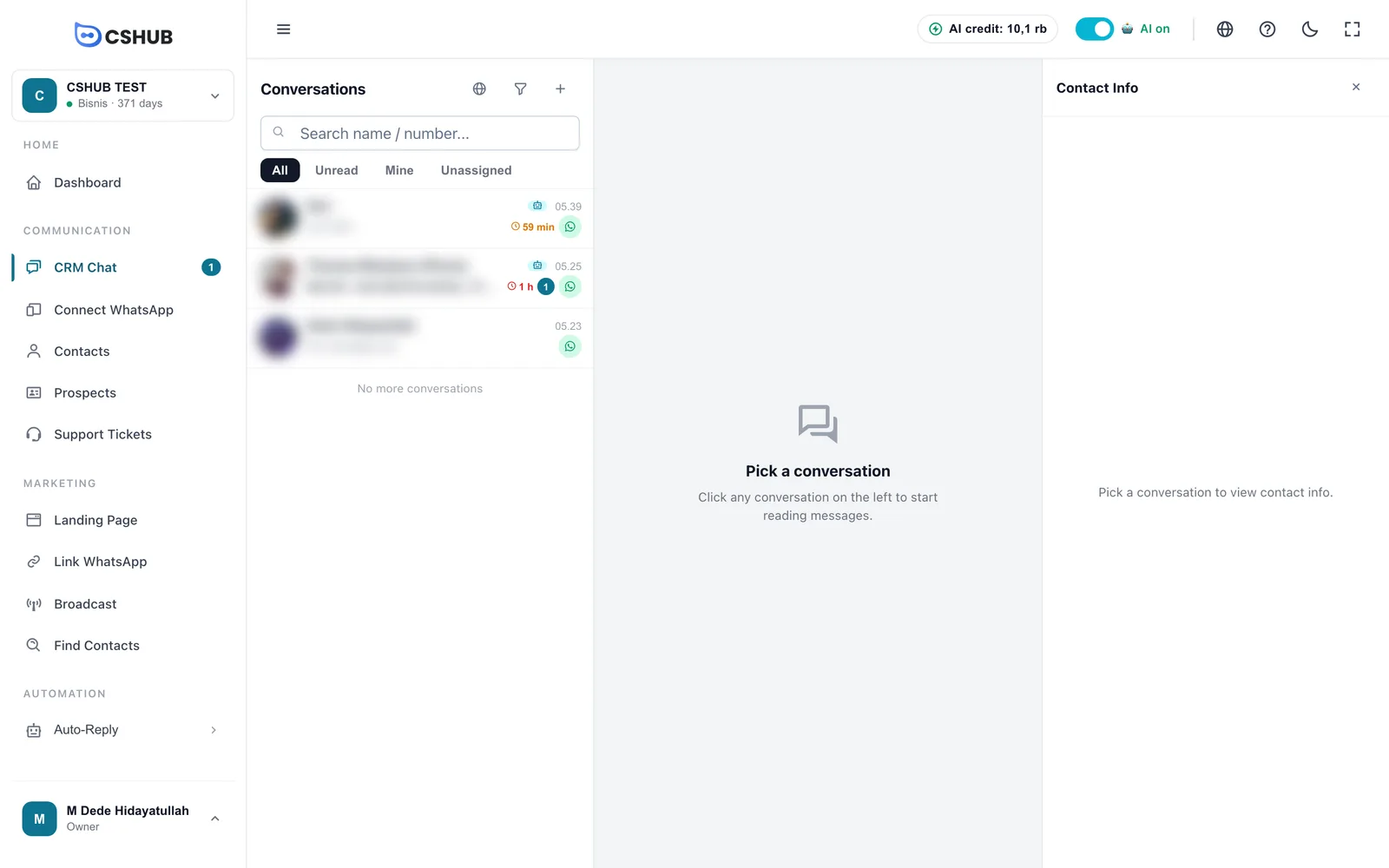
Connect a WhatsApp number just by scanning a QR code, or use the official WhatsApp Business API, Instagram, Messenger, Telegram, and a live chat widget on your website. Every chat arrives in CRM Chat, together with the contact's info, labels, and order history.
| Area | What's in it | Guide |
|---|---|---|
| Channels | WhatsApp (scan QR), official WhatsApp Business API, Telegram, Instagram, Messenger, website live chat | About channels |
| CRM & conversations | Shared inbox, contacts, prospects board, support tickets, appointments, quick replies | CRM Chat |
AI that does real work
An AI Agent replies to chats 24/7 using the business knowledge you give it: business info, Q&A, and documents such as price lists. Beyond answering, the AI can:
- offer products, calculate shipping, and create orders in chat (AI selling & chat checkout);
- check availability and book appointments (AI appointment booking);
- judge how serious a prospect is and move them to the right pipeline stage (AI lead qualification);
- hand the chat over to your team when the customer needs a human.
For replies that must always be the same, use Keyword replies. For customers who stop replying, use Automatic follow-ups. Chats that wait too long can be escalated to your team with Escalation.
Marketing
| Feature | What it's for | Guide |
|---|---|---|
| Broadcast | Send bulk messages to contacts, to groups, or on a schedule | WhatsApp broadcast |
| WhatsApp Status | Post WhatsApp statuses from cshub | WhatsApp Status |
| Link WhatsApp | Chat links for ads, with a rotator across several CS agents and source tracking | WhatsApp links & rotator |
| Find Contacts | Collect numbers from WhatsApp groups and other sources | Find contacts |
| Landing Page | Sales and checkout pages without code | Landing pages |
Selling (commerce)
Manage products & stock, take orders from chat, landing pages, and your online store, calculate shipping rates automatically for addresses in Indonesia, and win back buyers who dropped off with Abandoned carts.
Reports
Track conversation volume, team reply speed, prospects, and sales in Reports & logs. Business owners can get a daily chat report straight on WhatsApp, see unreplied chats, and ask the AI Insight & analyst why customers didn't buy.
Accounts, businesses, and plans
- One account can own several businesses. Each business has its own plan, team, WhatsApp numbers, contacts, and data. See My Account & all businesses.
- Every business runs on a subscription plan. Your first business gets a free trial plan the moment it's created. Features and quotas (number of devices, AI credit, products, and so on) follow the plan. See Billing & packages.
- AI features use AI credit. Credit comes with the plan and can be topped up. See AI credit & top-ups.
All of these terms are explained in Core concepts.
Where to start
- Sign up & onboarding: create your account and first business in about 3 minutes.
- Interface tour: get to know the sidebar, top bar, and dashboard.
- Quickstart: AI replies on WhatsApp: connect WhatsApp and let the AI answer your first chat.
Need help?
Inside the app there's a Help button in the bottom-right corner. You can ask the AI help assistant, replay a guide, or chat with the cshub support team on WhatsApp. See AI help assistant.