
Instagram
Connect your business Instagram account to cshub so Instagram DMs and story replies land in CRM Chat alongside WhatsApp and your other channels — answered by your CS team or automatically by an AI Agent. Connecting only takes a Meta login; there are no tokens to copy.
Before you start
- An Instagram account of type Business or Creator (set it in the Instagram app → Settings → Business account).
- That Instagram account is linked to a Facebook Page you manage.
- Your browser allows popups for cshub, since the Meta login opens in a new window.
Instagram account list
Open Connect WhatsApp in the sidebar, then the Instagram tab.
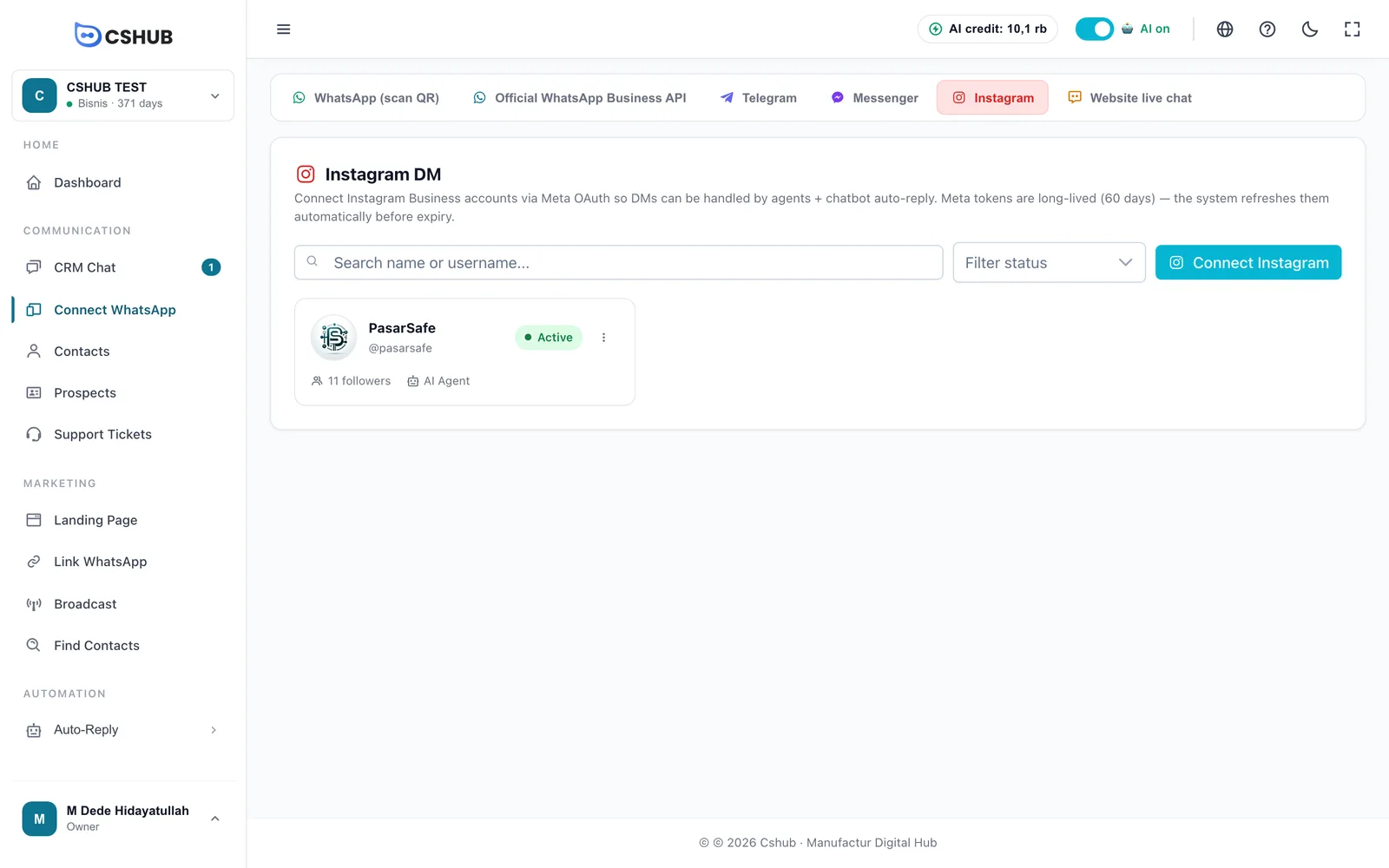
Each card shows the profile photo, name, @username, status, follower count, auto-reply method, and daily quota (if enabled). Click a card to open its settings.
| Status | Meaning |
|---|---|
| Active | Connected — DMs arrive and can be answered |
| Token Expired | Meta's permission has run out. Choose ⋮ → Reconnect |
| Error | Meta rejected a request. The detailed message shows on the card |
| Inactive | The account is switched off |
Meta's permission lasts 60 days and cshub refreshes it automatically before it runs out. If it still expires (for example, after a Facebook password change), the list shows a warning with how many accounts need reconnecting.
Connecting an account
- Click Connect Instagram. A Meta login window opens.
- Log in with the Facebook account linked to your business Instagram.
- Choose the Instagram account to connect and approve the requested permissions.
- The window shows "Instagram account connected" and closes by itself. The account appears in the list right away.
Popup blocked?
If you see Popup blocked, allow popups for the cshub site in your browser settings, then click Connect Instagram again.
Once connected, choose who replies and how auto-replies work under Edit Routing.
Card menu
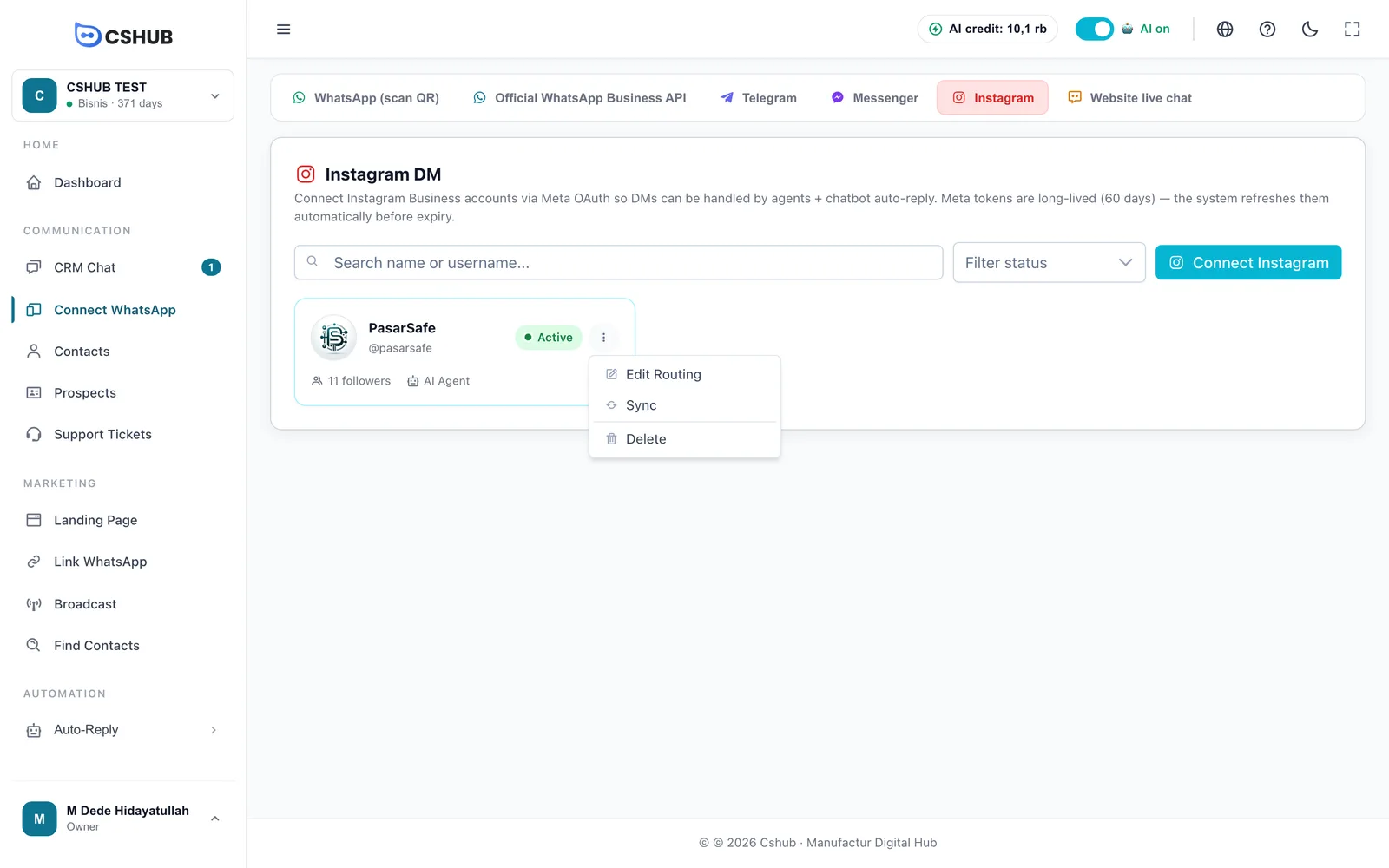
| Menu | What it does |
|---|---|
| Edit Routing | Set agents, auto-replies, schedule, and daily limit |
| Sync | Pull the latest profile data from Meta (followers, photo, bio) |
| Reconnect | Appears when the token has expired — log in to Meta again to renew permission |
| Delete | Disconnect the account from cshub (see Deleting an account) |
Edit Routing
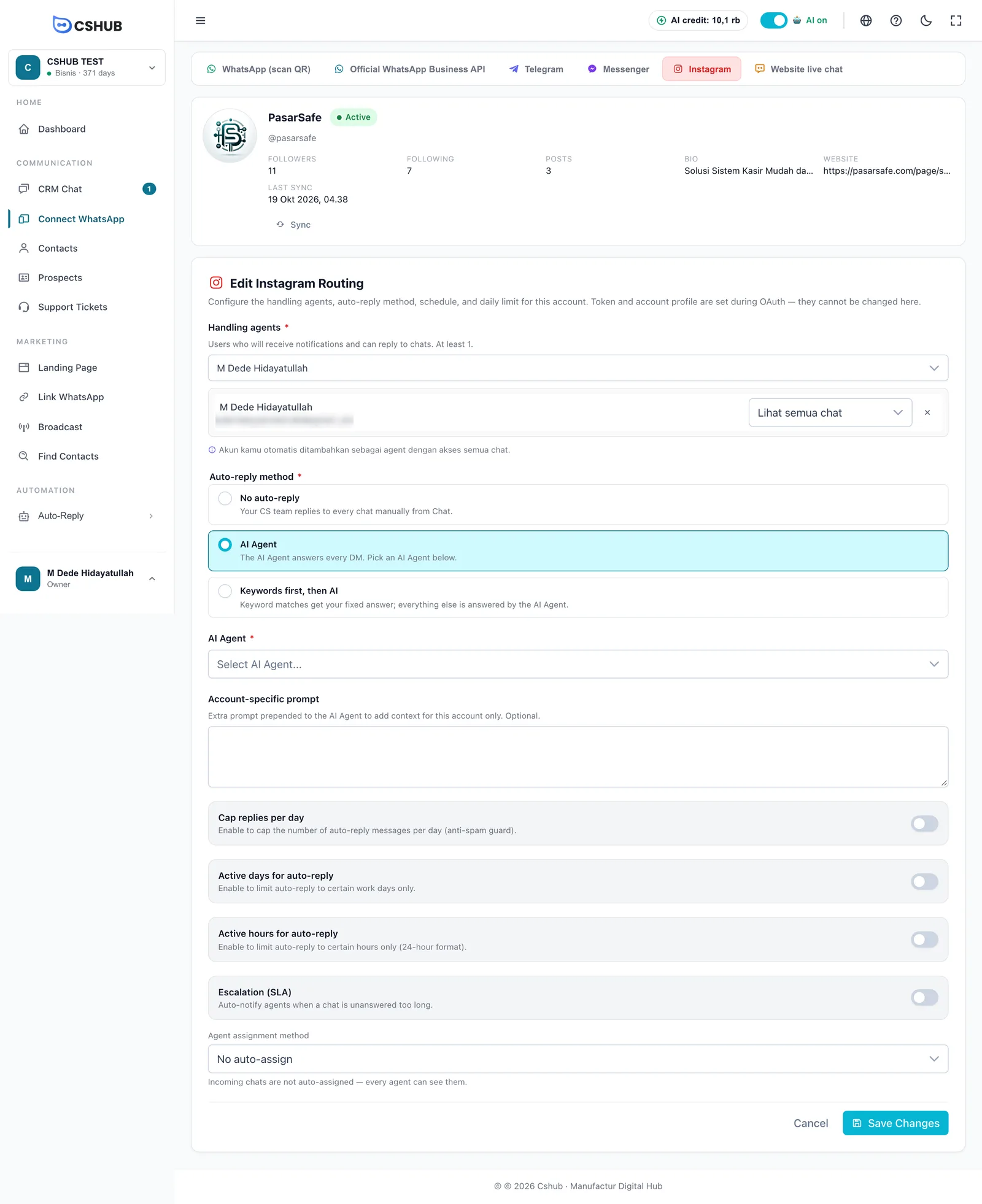
The profile section at the top is read-only — it comes from Meta. If your Instagram profile changes, click Sync.
The Edit Instagram Routing form:
| Setting | Notes |
|---|---|
| Handling agents * | Team members who get notifications and can reply to DMs. At least 1. Also set their access: see all chats, or only assigned chats & collaborations |
| Auto-reply method * | No auto-reply — your team answers every DM; AI Agent — the AI Agent answers every DM; Keywords first, then AI — keywords first, AI for the rest |
| AI Agent * | Required when the method isn't "No auto-reply" |
| Account-specific prompt | Extra instructions for the AI Agent on this account only, e.g. "don't send long links". Optional |
| Cap replies per day | Daily cap on automatic messages (1–10,000) as an anti-spam guard |
| Active days for auto-reply | Auto-replies only on certain days |
| Active hours for auto-reply | Auto-replies only within set hours (24-hour format, e.g. 08:00:00 – 17:00:00) |
| Escalation (SLA) | Notifies agents when a DM waits too long for a human. See Escalation to your team |
| Agent assignment method | How new DMs are handed to your team. See About channels |
Click Save Changes.
Token expired but need to change routing?
You can still save routing changes, but auto-replies only run again after the account is reconnected.
Deleting an account
Choose ⋮ → Delete on the card.
- No chat history — the account is deleted right away and its Meta connection is removed.
- Has chat history — choose Transfer history to another account (history moves to another Instagram account) or Permanently delete + history (can't be restored).
Tips
- AI replies feel more natural on Instagram when they're short. Put that instruction in Account-specific prompt.
- The same Facebook Page can also be connected as Messenger, so Instagram and Messenger DMs both land in CRM Chat.
More issues are covered in Troubleshooting.