
Business addresses
Business addresses is the list of places your business operates from — a shop, a warehouse, an office — with one address marked as default, which cshub uses as the shipping origin when calculating rates and as your business's official identity.
You can save more than one address, for example Main Store and Cimahi Warehouse, and switch which one is the default at any time.
Why the default address matters
The default address is your shipping origin. Without a default address in Indonesia, shipping rates can't be calculated automatically when buyers check out on a landing page, in your online store, or in a chat with the AI.
The first step for shipping
The default address is step 1 of the Shipping checklist. Once it's in place, move on to couriers and rates in Shipping & rates.
Opening the addresses page
- Click Settings in the sidebar.
- Open the Business Addresses card in the Business group (or the Business Addresses tab if you're already on another settings page).
Only the business owner can open this page.
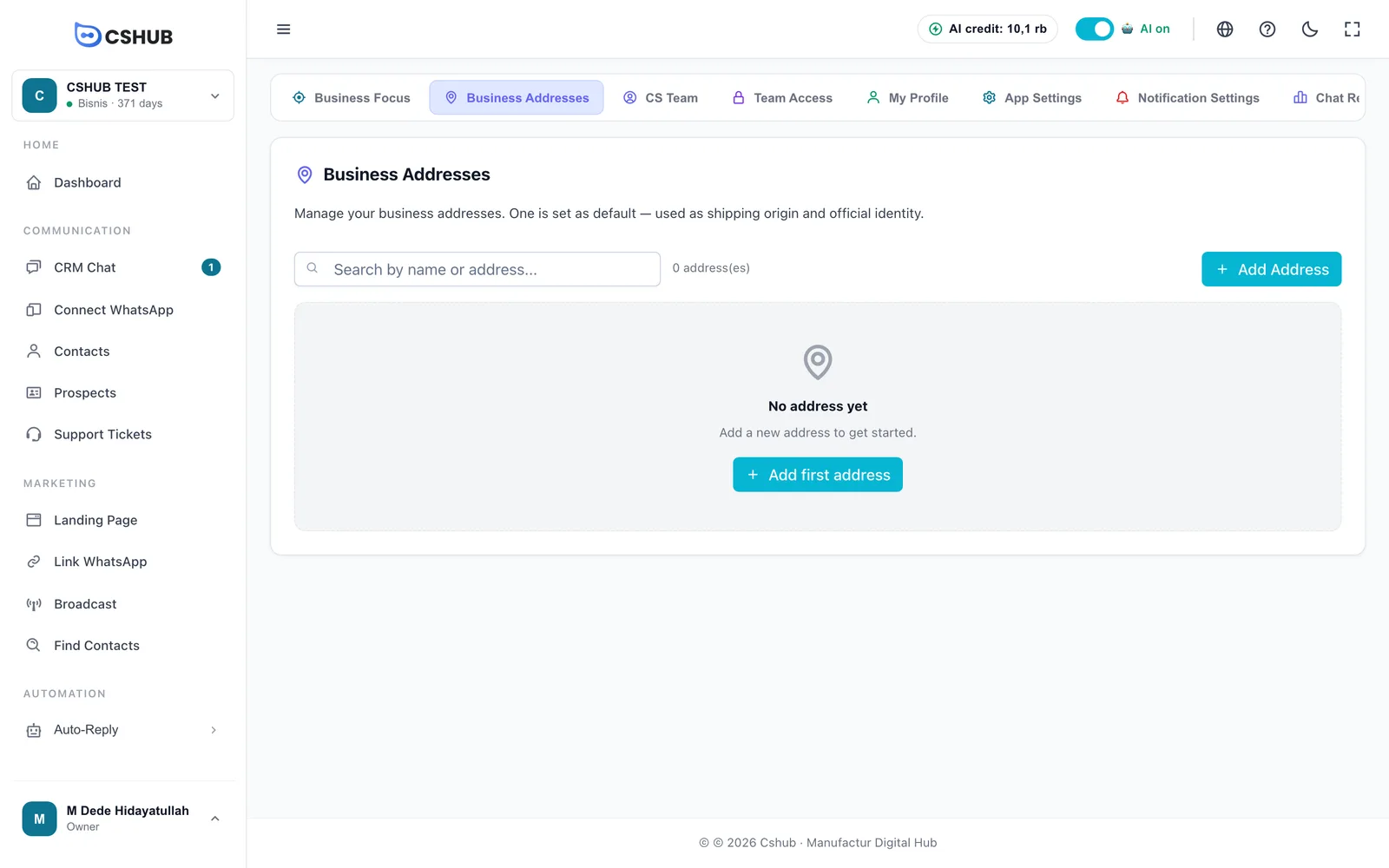
While there are no addresses, the page shows No address yet with an Add first address button. Once you have several, use the Search by name or address... box to find one.
Adding an address
- Click Add Address.
- Fill in the form below.
- Click Add Address at the bottom of the dialog.
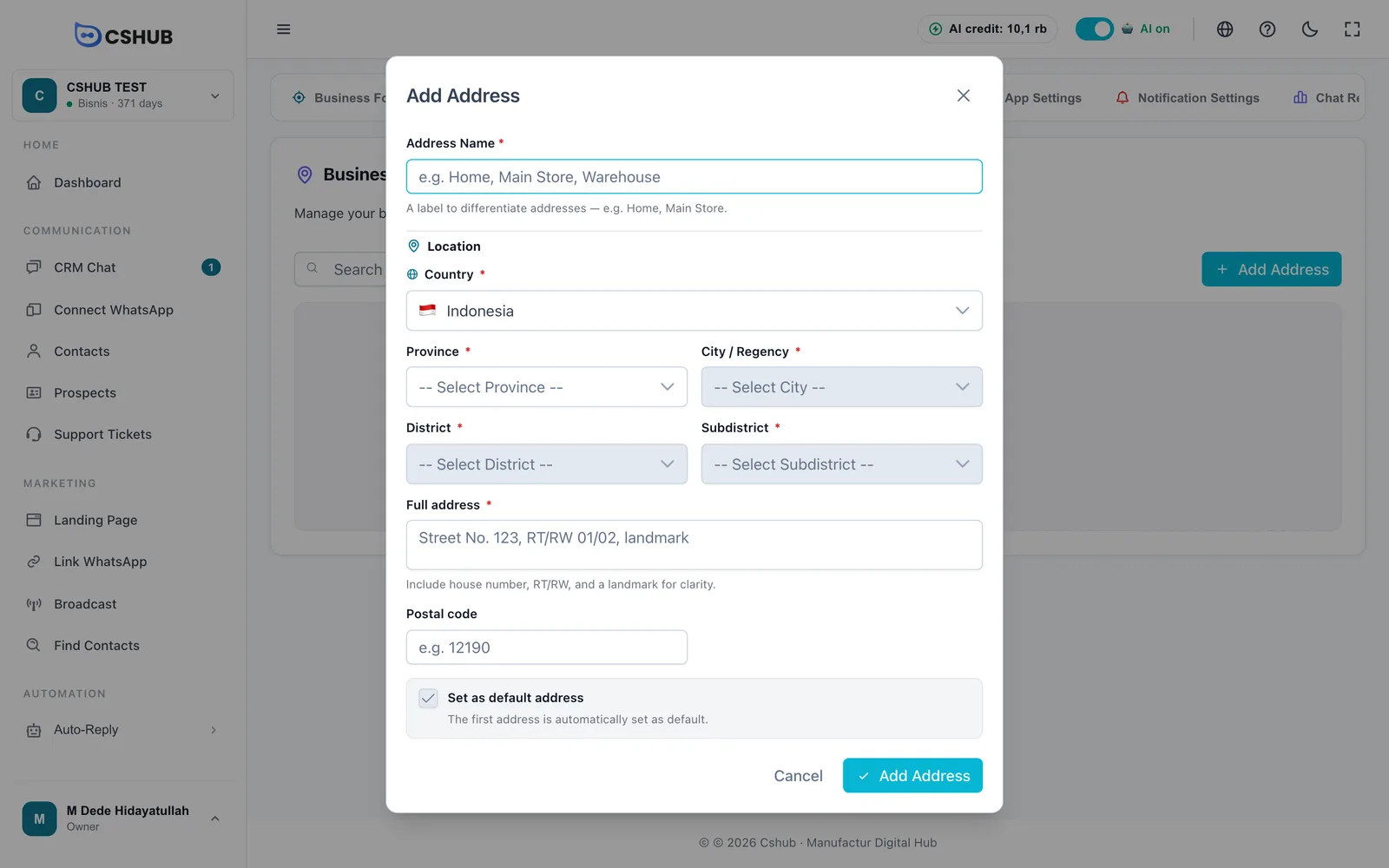
| Field | Notes |
|---|---|
| Address Name | Required, up to 100 characters. A label to tell addresses apart, e.g. Home, Main Store, Warehouse |
| Country | Required. Defaults to Indonesia |
| Province → City / Regency → District → Subdistrict | Required for Indonesian addresses. Pick them in order — each one opens after the previous is chosen. You must go all the way to Subdistrict |
| Full address | Required. Include the street, house number, RT/RW, and a landmark |
| Postal code | Up to 10 characters, e.g. 12190 |
| Set as default address | Tick to make this address your shipping origin |
Get the subdistrict right
Shipping rates are calculated from the subdistrict you pick, not from the full-address text. A wrong subdistrict means wrong rates at checkout.
Addresses outside Indonesia
If you pick a country other than Indonesia, the province-to-subdistrict selects disappear. Instead:
- Full address is free text — street, city, and state/province.
- Postal code becomes optional and can contain letters, numbers, spaces, or hyphens.
- A note says Automatic shipping rates are only available for addresses in Indonesia.
You can still save an overseas address and make it the default, but automatic shipping rates won't run.
Setting the default address
The default address has a Default badge and a Primary address note on its card.
- Your first address becomes the default automatically.
- To move the default, click Set Default on another address's card. The old default is cleared automatically.
- You can also do it from the form: when you edit another address and tick Set as default address, a note tells you the current default will be moved to this address when you save.
- On the form of the address that is currently the default, the checkbox is locked. To change the default, use Set Default on another address.
Moving the default overseas
If you move the default from an Indonesian address to an overseas one, cshub asks Change the main address country? — because automatic shipping rates will be turned off in AI Agent, landing pages, and the online store. Only click Yes, continue if that's really what you want.
Editing and deleting addresses
Each address card shows the name, the full address, the country flag with the location, and the postal code. Below are Edit and Delete buttons.
- Edit opens the same form, pre-filled.
- Delete asks for confirmation. Deleted addresses can't be restored.
- The default address can't be deleted. Its delete button is disabled with the note "Cannot delete the default address. Move default to another address first."
Shipping checklist
If your business focus includes Online Selling or Booking / Services, the Settings page has a Shipping card that checks whether automatic rates are ready, in three steps. The first step is this origin address.
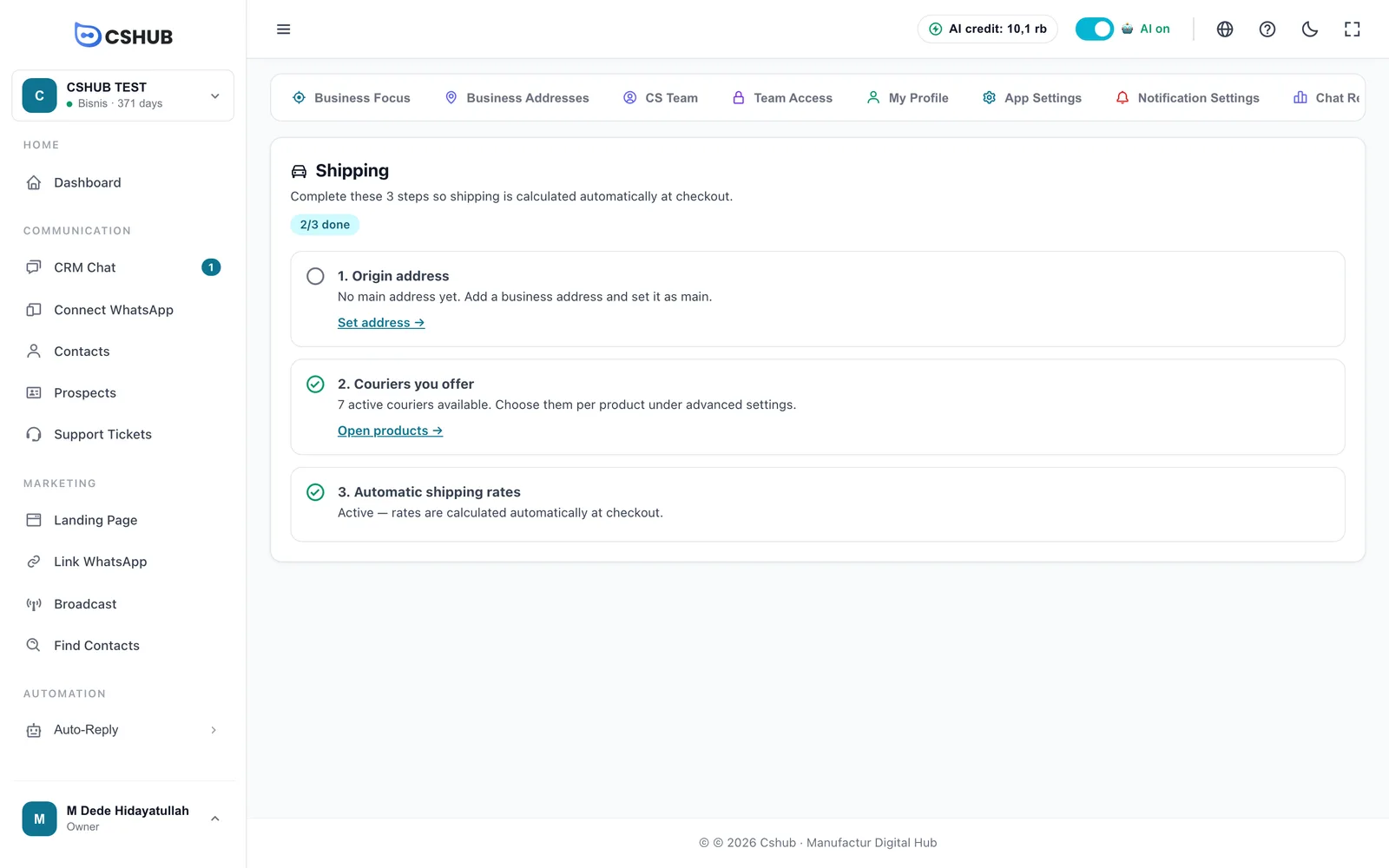
| Step | When it's ready | When it isn't |
|---|---|---|
| 1. Origin address | Shows the name of the main address used by your shop & orders | "No main address yet" with a Set address → link to this page |
| 2. Couriers you offer | Number of active couriers, with an Open products → link since couriers are chosen per product | Couriers are enabled by the cshub team |
| 3. Automatic shipping rates | Rates are calculated automatically at checkout | A Contact support button to request activation |
Steps 2 and 3 are explained in full in Shipping & rates.