
Get bonuses
Get more bonuses is a page in the Billing menu where you fill in short reviews or quizzes from the cshub team and instantly receive a bonus for your business — either free AI credit or extra days on your plan. Your answers help us improve cshub, and the bonus is added automatically as soon as the review is sent.
Opening the bonus list
Open Billing → the Get more bonuses card or tab.
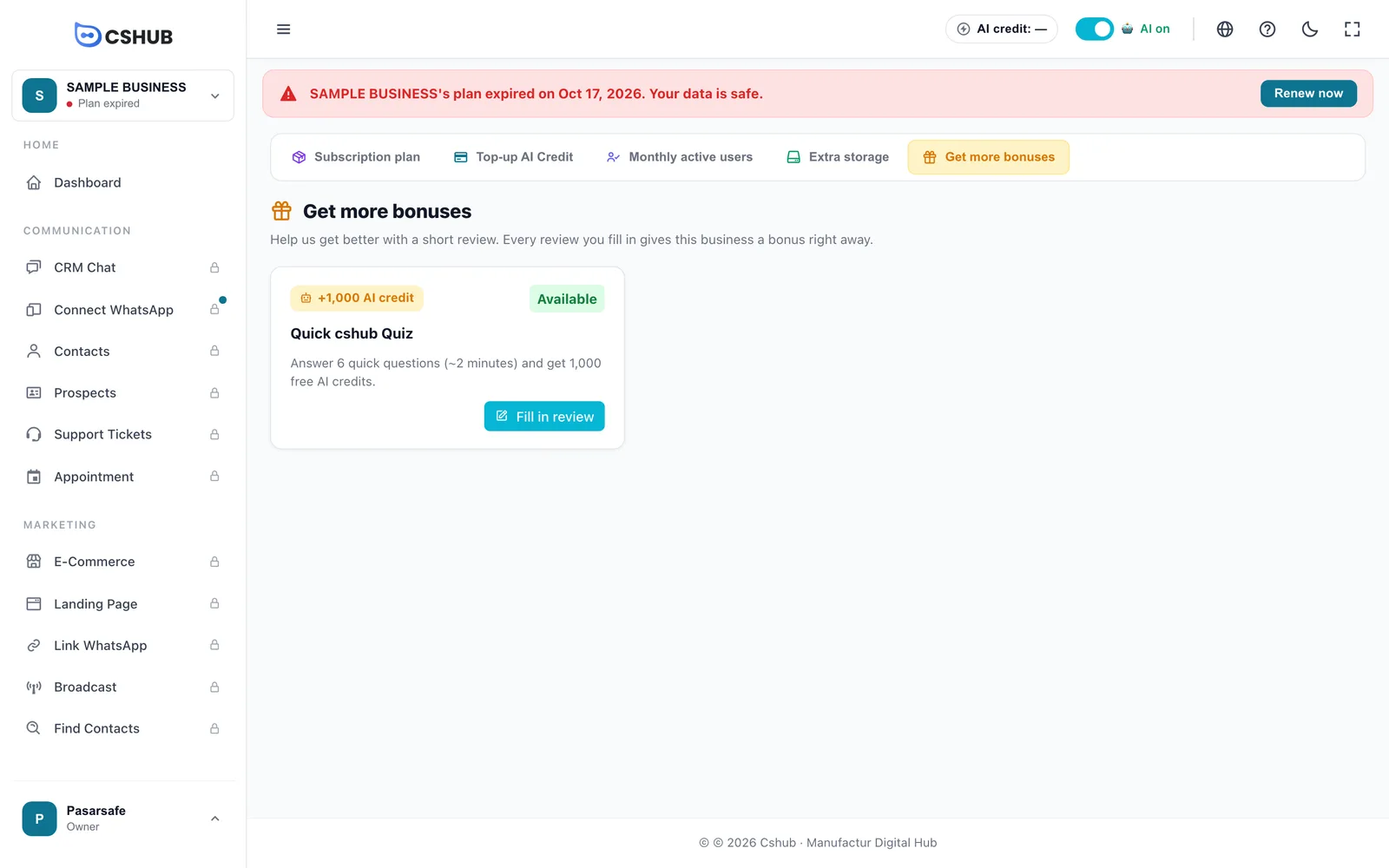
Each bonus card shows:
| Part | Description |
|---|---|
| Reward | +N AI credit or +N extra days |
| Status | See the table below |
| Title & description | What the review is about and roughly how long it takes |
| Ends <date> | Shown if the review has a deadline |
| Fill in review | Opens the form |
| Status | Meaning |
|---|---|
| Available | You can fill it in and claim the bonus |
| Already filled | You've already claimed this bonus for this business |
| Business owner only | Only the business owner can fill in this review |
When no reviews are open, the page says No new bonuses yet. Check back later.
Still available when your plan has expired
The bonus page stays open even after the business plan expires. An extra-days bonus can be a quick way to reactivate your business for a while. See When your plan expires.
A few notes about extra-days bonuses:
- If your plan is lifetime, extra-days bonuses aren't shown because they wouldn't do anything.
- If the business has never had a plan, extra-days bonuses only appear once it has one.
Filling in a review
- Click Fill in review on a bonus card.
- Read the top of the form: the reward, title, description, and the line The bonus goes to the business <business name>. Make sure it's the right business — the bonus goes to the business you're currently in.
- Answer the questions. Fields marked * are required.
- Click Send & claim bonus.
- Confirm in the Send review? window by clicking Send.
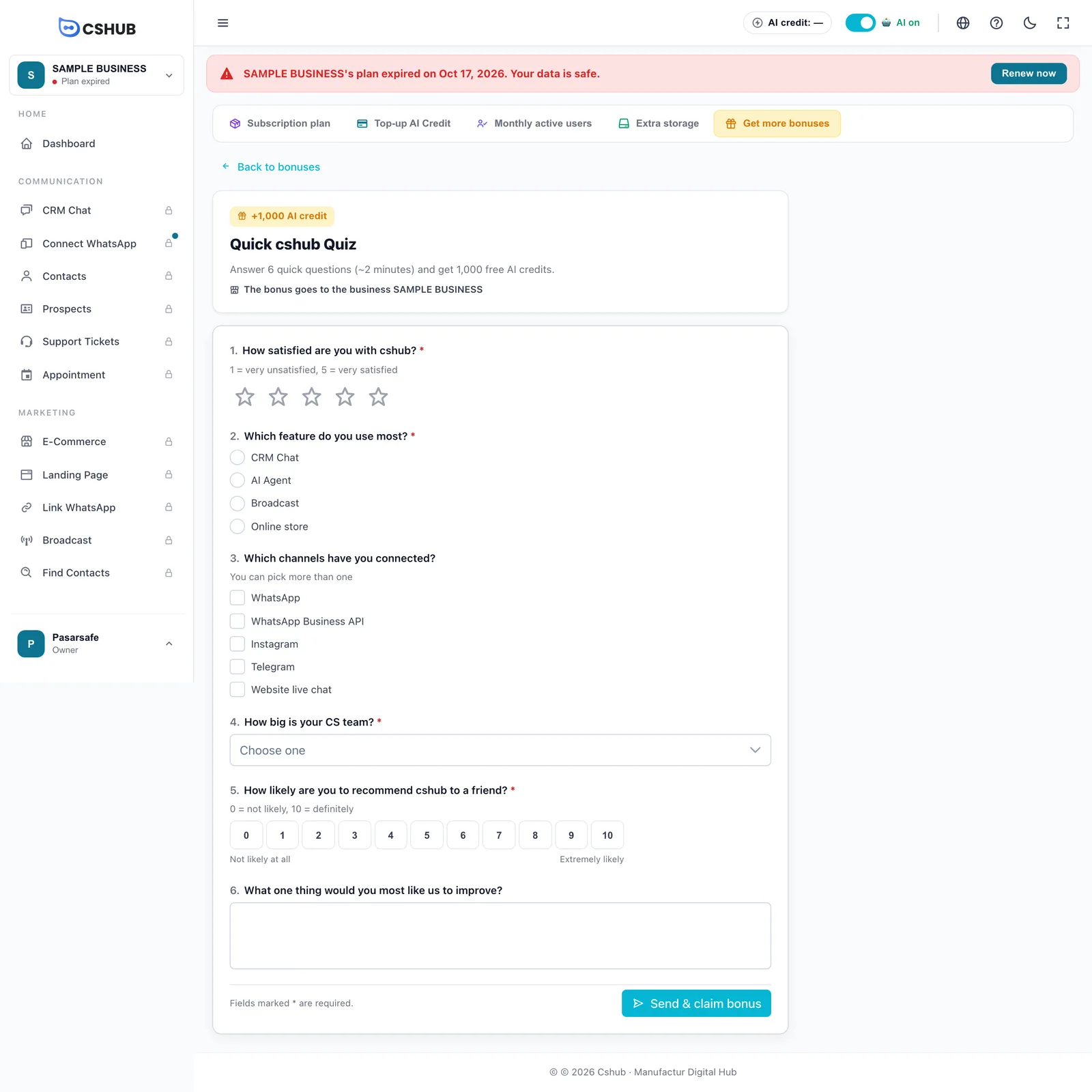
Question types
| Type | How to answer |
|---|---|
| Star rating | Click 1–5 stars |
| Single choice | Pick one option |
| Multiple choice | Tick one or more options |
| Dropdown | Choose one from the list (Choose one) |
| 0–10 scale | Click a number, from Not likely at all to Extremely likely |
| Free text | Type your answer |
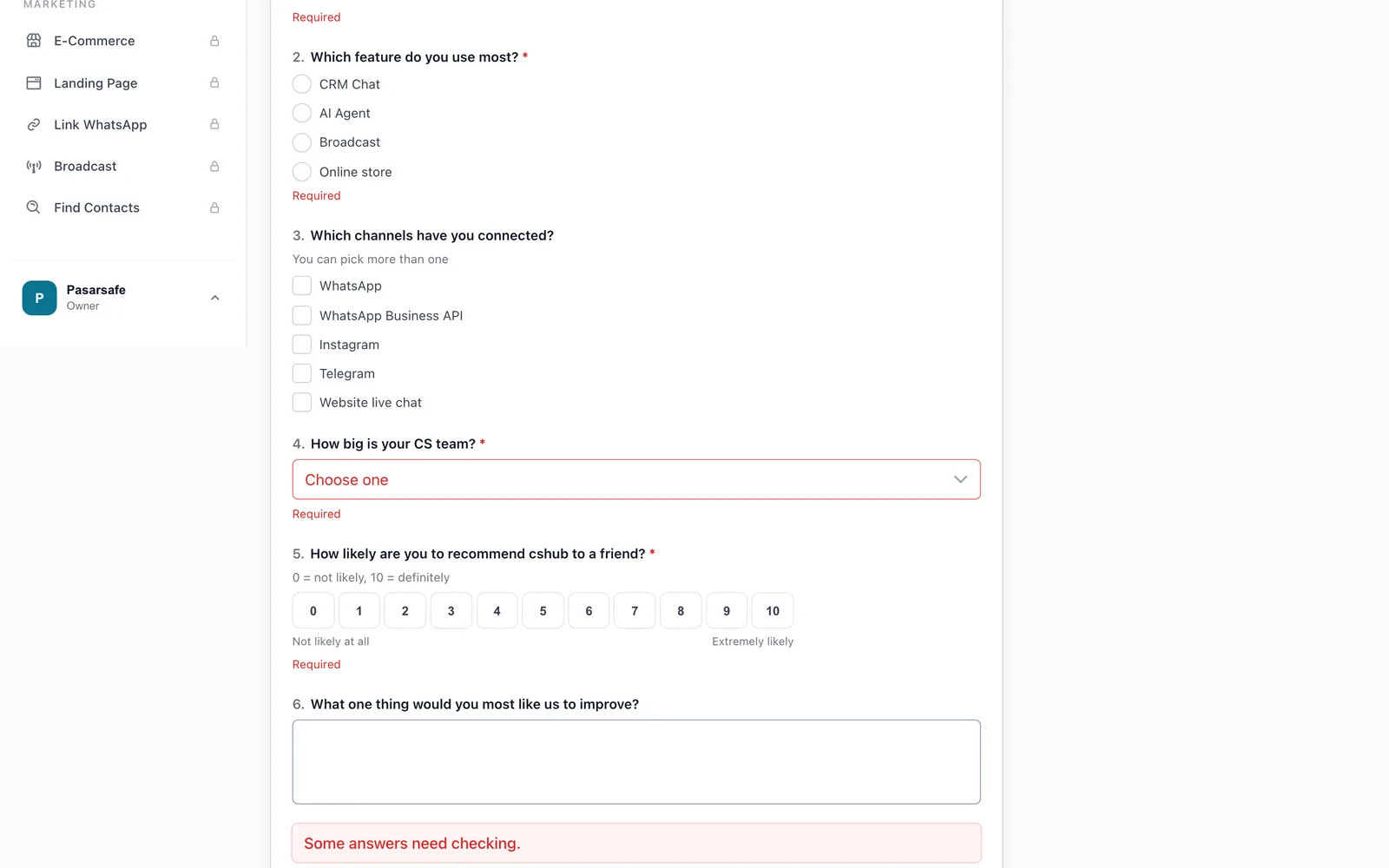
When an answer needs fixing
If you press send while a required question is still empty, Required appears under that question and the message Some answers need checking. shows above the button.
Answers can't be changed
Once sent, review answers can't be edited. Double-check before clicking Send.
After sending
You'll see Bonus <reward> added together with your new AI credit balance or the new plan end date. From there you can choose See other bonuses, View AI credit, or View plan.
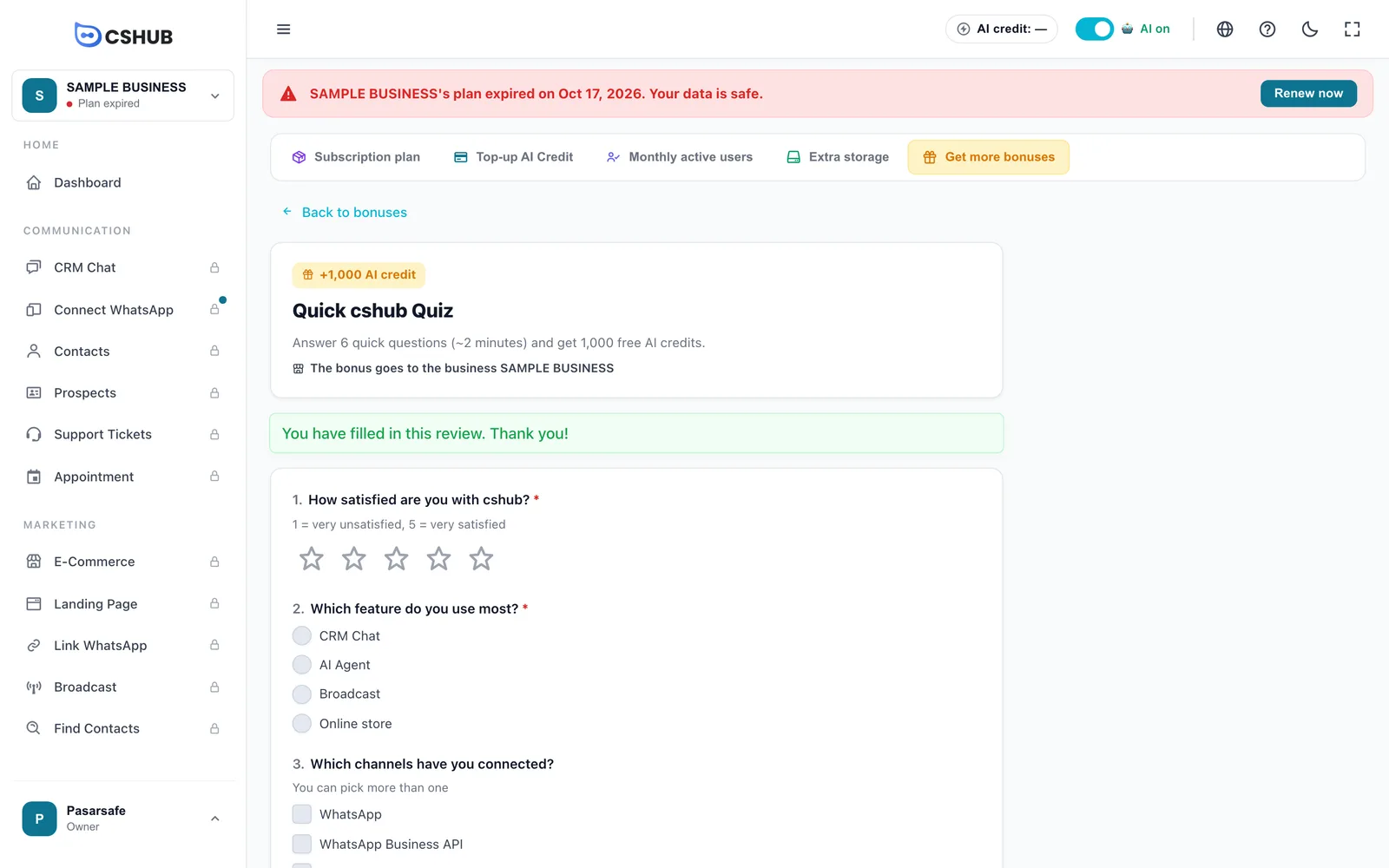
If you open a review you've already filled in, the form is locked with the message You have filled in this review. Thank you!
Why can't I claim the bonus?
| Message | Cause |
|---|---|
| You have already filled in this review. | Each review can only be filled in once |
| This review has reached its quota. | The number of responses for this review has hit its limit |
| This review is not open right now. | The review has closed or hasn't opened yet |
| This bonus does not apply to this business. | The bonus isn't meant for this business, e.g. an extra-days bonus on a lifetime plan |
| Only the business owner can fill this in. | Ask the business owner to fill it in |