
When your plan expires
When a business's plan runs out, cshub temporarily locks that business's features — but your data stays safe: contacts, chat history, products, and settings are not deleted. You can still open the business, renew from inside, and everything works again the moment the payment succeeds.
This page explains the signs of an expired plan, what you can still open, and how to unlock it.
Lifetime plans never expire
Everything on this page applies to subscription and trial plans. A business on a Lifetime plan (LTD) stays active forever — no renewal reminders, no expired banner, and no lock screen. The only thing that can run out on a Lifetime plan is AI credit, and you can add more with a top-up.
Before the plan expires
When a paid plan has 7 days or fewer left:
- The badge in the business switcher changes to Expires in N days.
- A yellow banner appears at the top of the app: <business>'s plan ends in N days. Renew so your features keep running. with a Renew button. You can dismiss it for the session.
During a trial, a N days left on your trial banner with an Upgrade now button appears instead.
Renew early
Renewing before the end date costs you nothing — the new period is added after your current end date. See Billing & plans.
Signs the plan has expired
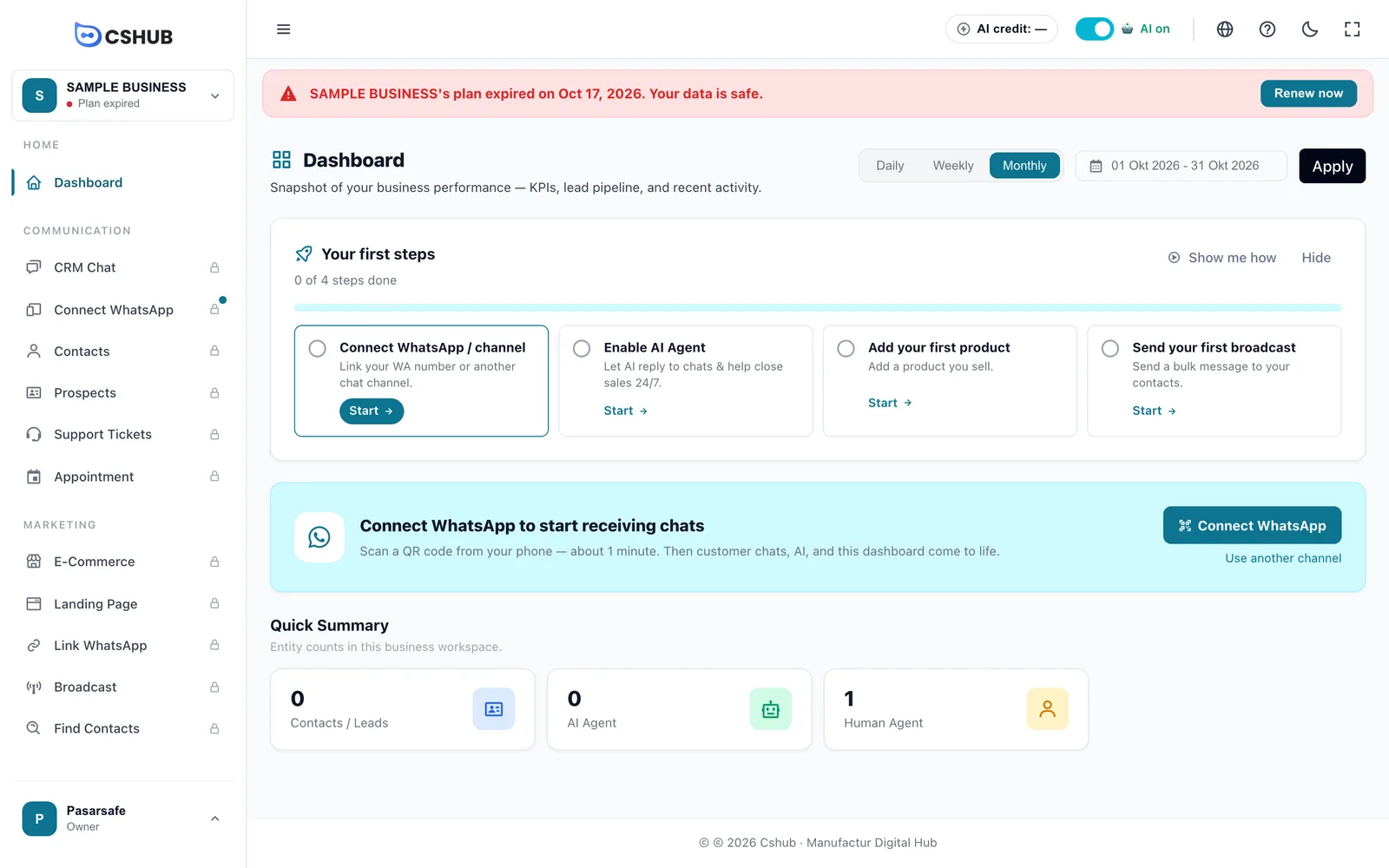
| Sign | Where |
|---|---|
| Red banner <business>'s plan expired on <date>. Your data is safe. + Renew now button | Top of every page |
| Lock icon on feature menus (tooltip Needs an active plan) | Sidebar |
| Plan expired badge | Business switcher and My Account |
| Top-up AI Credit, Monthly active users, and Extra storage cards disabled with Activate a plan first | Billing page |
For a business that has never had a plan, the banner reads <business> doesn't have an active plan yet.
What you can still open
| Page | What for |
|---|---|
| Dashboard | See your business overview |
| Billing → Subscription plan | Renew or buy a plan, including continuing a pending payment |
| Billing → Get more bonuses | Fill in reviews for AI credit or extra days |
| Profile | Edit your personal details and password |
| AI Help | Ask how to use cshub. See AI help assistant |
| My Account | Switch to another business, view transaction history, affiliate dashboard |
Other menus — CRM Chat, contacts, prospects, broadcasts, AI Agent, the shop, and so on — are locked.
The lock screen
If you open a locked menu, cshub shows the This feature needs an active plan screen.
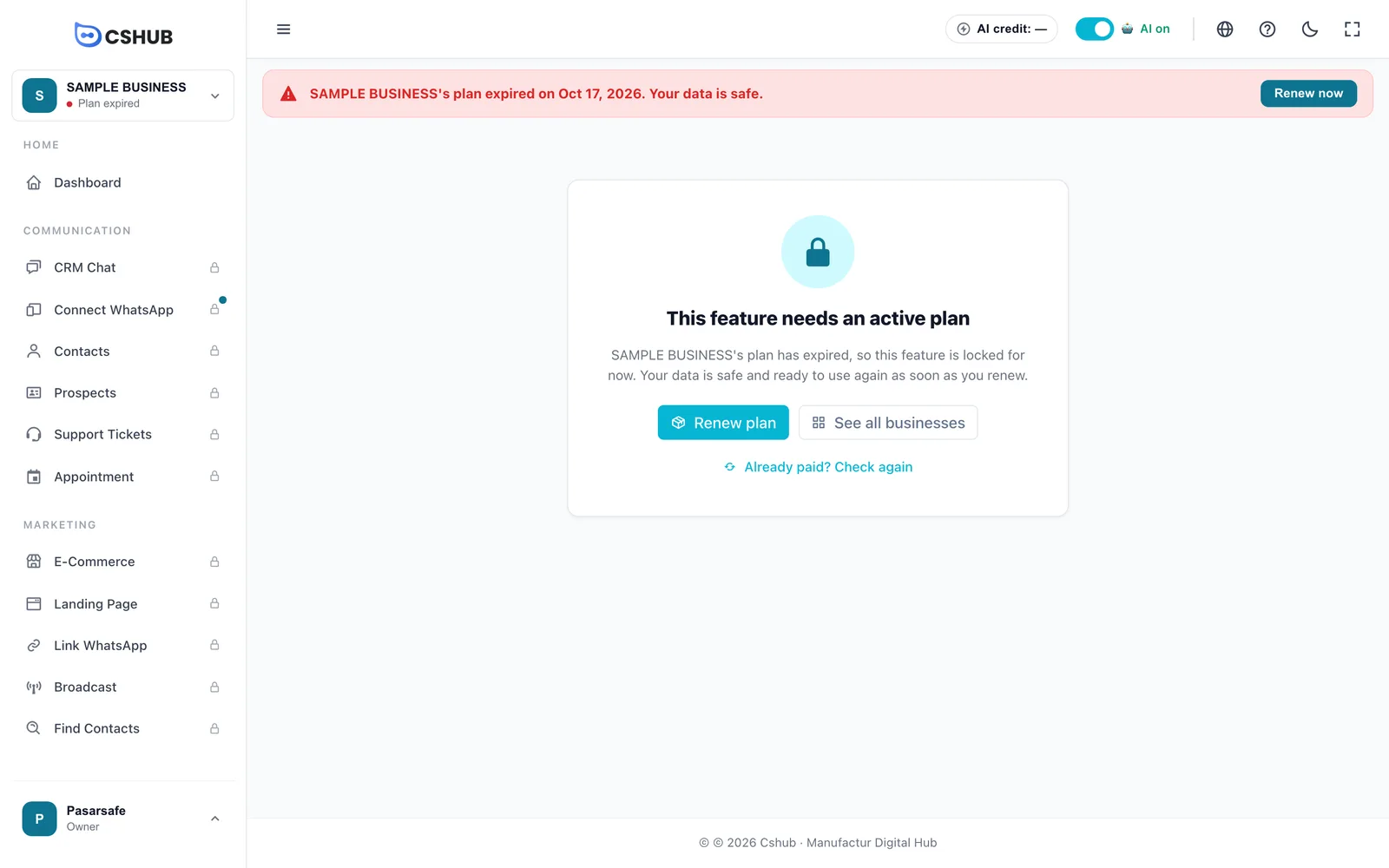
| Button | What it does |
|---|---|
| Renew plan | Goes to Billing → Subscription plan for this business |
| See all businesses | Goes to My Account — useful if you have another business that's still active |
| Already paid? Check again | Re-checks the plan status after paying. If the plan is active, the lock lifts and you're taken back to the page you wanted |
If the plan expires while you're using the app, cshub moves you to this screen on your next action.
Team members without payment permission
Team members who can't make payments see This business's plan has expired. Contact the business owner to renew it. with no payment button. Ask the business owner to renew.
Unlocking: renew the plan
- Click Renew now on the banner (or Renew plan on the lock screen).
- On the Subscription plan page, the Current plan card shows your last plan with a Plan expired badge and the Expired on date.
- If there's a yellow Continue payment card, finish or delete that transaction first.
- Choose a plan and duration, click Continue to payment, and pay. If the Lifetime (LTD) tab is available, you can also pick a Lifetime plan so you never need to renew again.
- Once the payment status is Successful, the lock lifts. If it still looks locked, click Already paid? Check again.
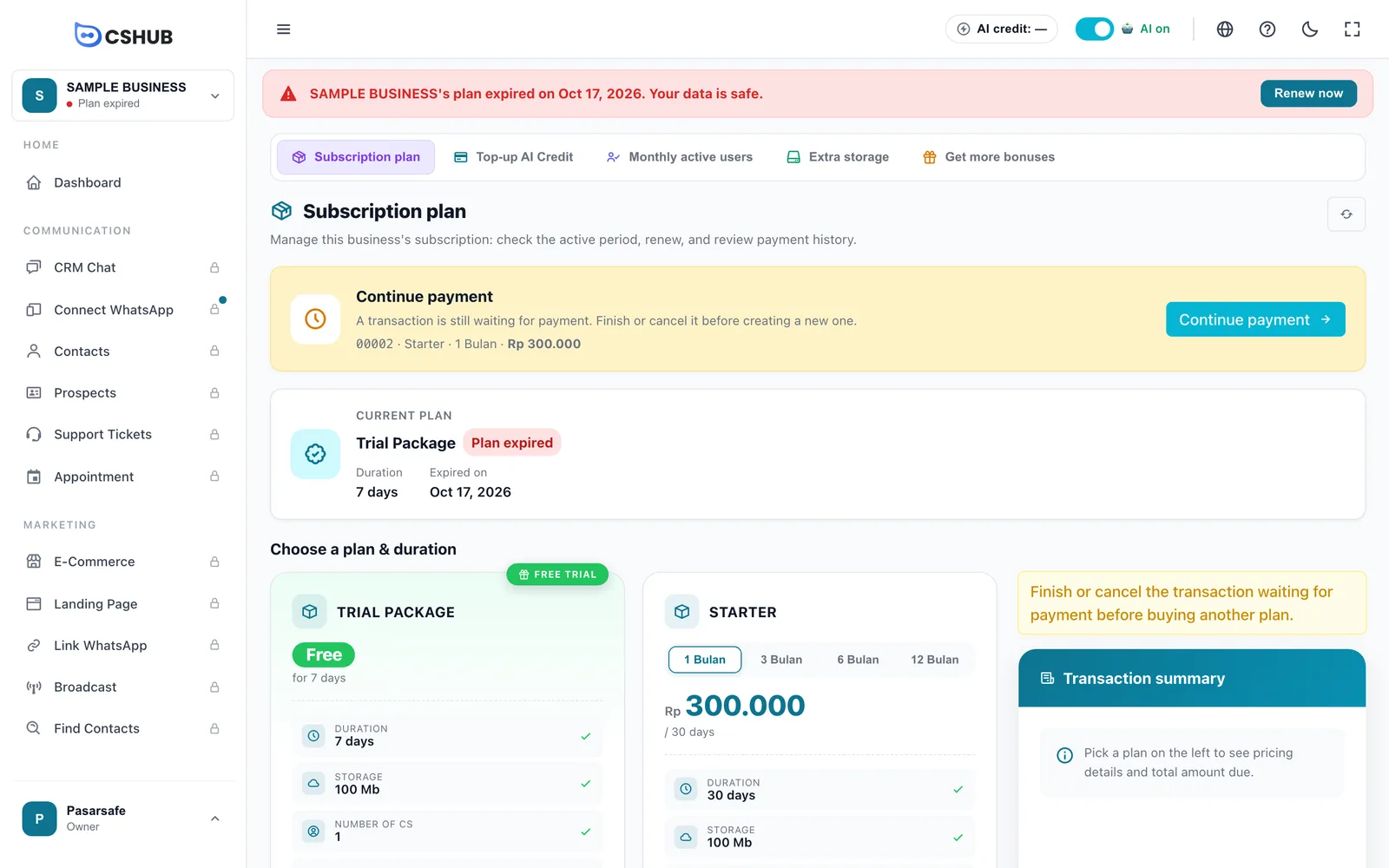
Full payment steps are in Billing & plans → Paying a transaction.
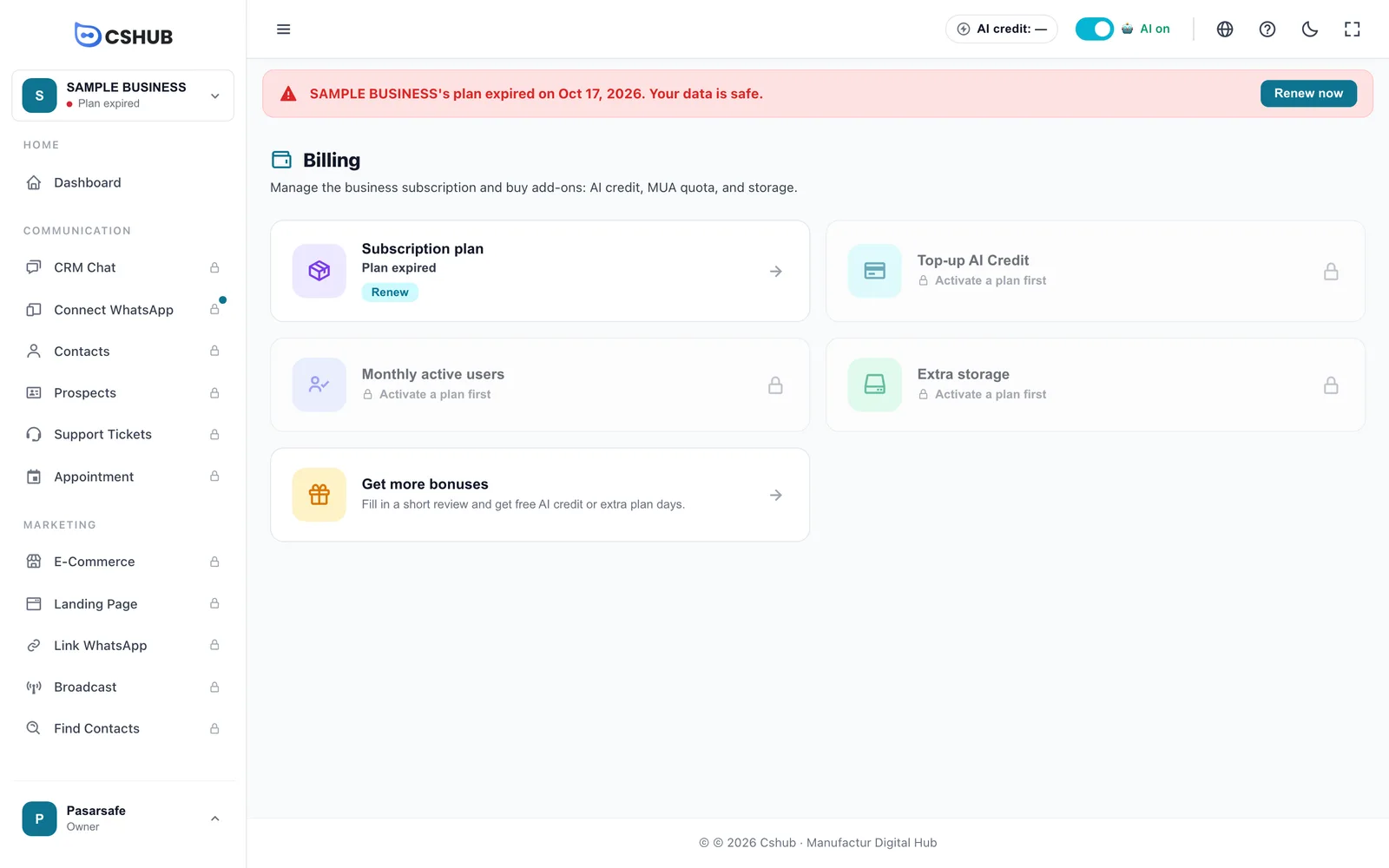
Bonuses as a shortcut
If Get bonuses has a review rewarding extra days, filling it in can extend your plan right away.
In the mobile app
The cshub mobile app shows a notice that the business plan has expired, without any purchase button. Renew through cshub in your browser, then open the app again.
FAQ
Is my data deleted when the plan expires? No. The banner at the top of the app says it plainly: Your data is safe. As soon as the plan is active again, all your data is ready to use.
I've transferred the money — why is it still locked? Manual bank transfers are verified by the cshub team within 1×24 working hours. Until then the transaction status is Admin verification. Once it's Successful, click Already paid? Check again.
Can a Lifetime plan expire? No. A Lifetime plan stays active forever, so the business is never locked because of an expired plan. The AI credit included in a Lifetime plan is granted once; when it runs out, AI features stop replying until you top up AI credit, but everything else keeps working.
Can I use another business in the meantime? Yes. Click See all businesses and pick another business whose plan is still active. Each business has its own plan.